This is default featured slide 1 title

Go to Blogger edit html and find these sentences.Now replace these sentences with your own descriptions.

This is default featured slide 2 title

Go to Blogger edit html and find these sentences.Now replace these sentences with your own descriptions.

This is default featured slide 3 title

Go to Blogger edit html and find these sentences.Now replace these sentences with your own descriptions.

This is default featured slide 4 title

Go to Blogger edit html and find these sentences.Now replace these sentences with your own descriptions.

This is default featured slide 5 title

Go to Blogger edit html and find these sentences.Now replace these sentences with your own descriptions.

Showing posts with label kitchen top. Show all posts

Thursday, 10 May 2018

XpressTop - STREAMLINING THE KITCHEN TOP PRODUCTION CYCLE; SUPERCHARGING OUTPUT

Breton XpressTop is the single most advanced management software designed specifically around improving the kitchen top production cycle.  
XpressTop increases your productivity, while reducing costs to give your fabshop the competitive edge it needs.  
This intuitive solution is defined by a modular approach, leading you through each stage of production: from sales, to design, passing through inventory all the way through delivery. 
Each module seamlessly integrating and communicating with the next, increasing efficiency at every stage of production.


XpressTop WILL HELP YOU…
  • INCREASES ACCURACY with the automatic generation of a mistake-proof Bill of Materials
  • AUTOMATES THE ENTIRE PROCESS, expediting your sales and production cycle
  • TRACKS ORDERS throughout each stage of production, granting you total transparency on the status of every project your shop is working on.
  • SCHEDULES THE SELECTION & PURCHASE OF RAW MATERIALS in accordance with established delivery dates.
  • SAVING RESOURCES through extremely efficient process management.
  • ELIMINATES THE NEED FOR EXPENSIVE SPECIALIZED PERSONNEL By flawlessly managing and communicating between each stage of production unto completion without the restraints of human error and related costs.
  • PRIORITIZES ORDERS AND SCHEDULING that may affect the timely production.
INVENTORY

The INVENTORY module performs real-time tracking of your entire shops inventory, starting at the very beginning with slab purchasing orders and raw material management.
The INVENTORY module provides:

  • Live digital photo database with sizes and characteristics of your slabs, including vein imaging
  • Warehouse inventory management complete with material tracking within specific warehouse areas
  • Tracking of all materials, coming from suppliers and going to clients
  • Managing of all orders to raw material suppliers
  • Automatic and easy issuing of purchase documents, such as quote requests, purchase orders, transport documents etc.
  • Creation and control of slab remnants
  • Inventory reports and statistics (material handling, purchase orders and invoices)
  • Mobile device integration; making warehouse management possible out on the floor
  • Management of raw material purchase prices
  • Ability to commit material to sales, production, or site transfers when applicable
  • Manage the reorder point of your inventory avoiding eventual downtime during the production process
  • Quality control over purchased materials and issue of non-compliance instances
SALES
The SALES module is to simplify and expedite the sales process through an integrated Customer Relationship Management tool (CRM) that automates quotes, production orders, and scheduling of activities.


The SALES module provides:
  • An industry specific Customer Relationship Management tool (CRM) organizes customer database, delivery terms, email storage, and Issuing of sales documents: quotes, sales orders, invoices, etc.
  • Sales reporting and statistics such as orders per month, sales prices, discounts, internal production costs, etc.
  • Real-time visualization of the order status (in conjunction with the production module)
  • Price list management
  • Scheduling of different activities such as: measurements at the installation site, date of production start and end, shipment date, installation and even on-site technical assistance
  • Convenient task assignments (technician for measurements, forwarding agent, technician for installation, etc.)
  • Management of raw material suppliers and committing or issuing a slab purchase order together with the inventory module

DESIGN
The DESIGN module is tailor-made around the unique demands of your engineering department enabling limitless creativity with a state of art CAD interface, complete with an entire library of templates from which to build upon.


The DESIGN module provides:
  • Project drawing interface with:
  1. CAD functions
  2. parametric shapes library
  3. DXF file import capability
  • The capability to input project details, such as edge shaping, finishing, and even accessory types, etc.
  • Quotes in collaboration with the sales module based on a specific drawing
  • A complete list entailing project specifications and all materials necessary
  • Easy exporting of the project in DXF format
  • Archive management of finished projects in DXF files- both internally produced, or provided by your customers
  • Seamless integration between the Design and Inventory modules facilitating management of raw material suppliers, and when needed, generating slab purchase orders

PRODUCTION

The PRODUCTION module is a tool that allows you to program, schedule and monitor all the different steps of your project.  
From the “production sheet” it is possible to trace the raw materials and all the components utilized, monitoring in real-time the actual status of human resources, providing to the machine operators all the scheduling activities to be performed.  
Also allow to monitor and trace the status of the all pieces (finished or not) and the machine operator activities in order to minimize mistakes.

The PRODUCTION module provides:
  • Scheduling of production phases and forecasting the time needed to realize a project 
  • Monitoring and tracking of each order phase (cutting, contouring, edging, finishing, packing, etc.) 
  • Real-time production reports and statistics, including, the final number of processed orders, processing times, production costs, etc. 
  • Sorting of material requests to their respective warehouses: slabs, remnants, pieces (in collaboration with the inventory module) 
  • Automatic transferring of working programs to Breton machines 
  • Analysis or different options in order to realize each piece. 
  • Checks for remnants or broken pieces to plan their reintegration into the production cycle
The Customer service that Breton provides goes above and beyond.
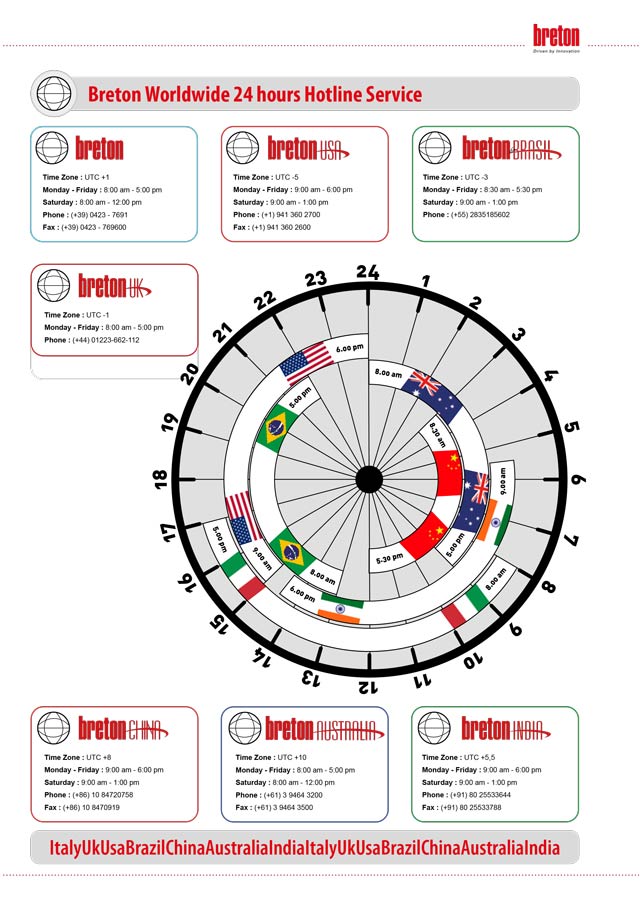
Breton conducts an active hotline service performed by highly specialized technicians. It is also possible to carry out technical service directly on the machine installed on the customer side without the physical presence of the machine operator.
Through the software for the remote assistance it is possible to perform remote monitoring and diagnostics by being connected directly to the customer machine in a safe and secure way.
Through hotline service it will be possible to solve remotely many eventual problems promptly, granting you enormous savings.
For more information and prices, on Breton XpressTop, contact mail@breton.it.
We’ll get back to you promptly.
Thank you for the attention and best regards.
Bye-bye  

Sergio Prior

Wednesday, 13 January 2016

CONTOURBRETON NC 300, a vast range able to meet all production requirements

Hello everybody,
maybe someone of you is now making a granite or engineered stone kitchen countertop or a marble vanity top and is using an obsolete machine.
Well, today I’ll show you the features of the 3 models of our numerical control contouring machine for kitchen countertops CONTOURBRETON NC300.

In all CONTOURBRETON NC300 models the vertical spindle stroke is 11.8" (300mm). The distance between spindle nose and worktable is 20.5" (520mm), allowing also plunge milling operations on blocks.

CONTOURBRETON NC300 K19 has effective “X” axis working travel of 126" (3,200mm) and “Y” axis travel of 76.8" (1,950mm).


CONTOURBRETON NC300 K26 has effective “X” axis working travel of 149.6" (3,800mm) and “Y” axis travel of 90.5" (2,300mm).


CONTOURBRETON NC300 K40 ha has effective “X” axis working travel of 149.6" (3,800mm) and “Y” axis travel of 157.5" (4,000mm).


Our Contourbreton machines are now equipped with a new electrospindle entirely designed and manufactured in our Italian facility.
Here you can see the Contourbreton NC300 K26 while is realizing a kitchen top.


The large and easily accessible work bench is made of aluminium slats.
Is availble a continuous worktop made of Metalquartz®, a special patented quartz-based composite material with a polymeric matrix, specially engineered to ensure the same high rigidity and expansion coefficient of steel (ON REQUEST). 


An alternative way to reduce tooling time is Breton ROBOCUP SYSTEM – Patented (for models K26 and K40 only).

Robocup introduces a revolutionary, automated way of arranging the vacuum cups on the work bench.

According to the work schedule and type of workpieces to be produced, the spindle lifts automatically the double-acting vacuum cups from the special magazine and alignes them with the selflocking valves fixed to the work bench.
The self-locking device firmly locks the vacuum cups on the bench and the workpieces to the vacuum cups. 


Once the profiling operations are over, the self-locking device releases the workpieces from the vacuum cups and the vacuum cups from the bench, the spindle lifts automatically the vacuum cups and places them in the magazine and a special pressure washing system washes the work bench before beginning a new vacuum cup arrangement cycle.

If you need more information and technical data on Contourbreton, you will find them here.
 
Remember also that Breton’s contouring machines are ideal for operations such as engravings and writings. 

For technical and commercial information for Contourbreton NC300 CNC stone router, write to mail@breton.it.
We’ll get back to you promptly.
Thank you for the attention and best regards.
Bye-bye

Sergio Prior

Tuesday, 18 November 2014

Why don’t you use the Web to promote your kitchen tops?

Boost your business by publishing the pictures of your kitchen tops to the Internet through Pinterest.

Hello everyone,
Some of you probably wonder about what Pinterest is. 

http://www.pinterest.com/bretonspa/kitchen-countertops/
Pinterest is a social network founded by Evan Sharp, Ben Silbermann and Paul Sciarra in 2010, where pictures, videos and images can be shared. . .  (wikipedia).

Using Pinterest, you can upload, save and publish pictures taken by your digital camera to the image-sharing social network

You could create photo books (boards) with the pictures of your kitchen tops realized with Contourbreton NC 300 or Contourbreton Quartz, quickly and easily
Click here for an example of board.

The stored pictures enhancing the beauty and quality of your tops will be easily accessible to any device, besides being a useful online image file where a variety of additional info can be stored as well. 

http://www.pinterest.com/bretonspa/kitchen-countertops/


You may save images on different boards classified by type of material, colour, shape or surface and your customers will see them on their PC, Smartphone or tablet!


Exploit this opportunity to the full, sign in with Pinterest and publish the pictures of your kitchen tops to boost your business. 

If you are interested in this new way to promote your kitchen tops, we will be glad to send you the instructions on how Pinterest works.

Write to mail@breton.it for receiving simple instructions: you’ll be ready in 5 minutes!
Thank you for the attention and best regards.
Bye-bye
 
Sergio Prior

Thursday, 16 June 2011

Breton Smartcut Optima - The future is already here

Only Breton's technology offers a comprehensive bridge saw like the Smartcut S/NC Optima.
No other machine can perform drilling operations and routings on the piece back-face for the reinforcing rods, besides cutting, shifting and unloading the workpieces; all this while working unattended, in a fully automatic mode
.
1 - CUTTING

2 - PIECE SHIFTING

3 - CUTTING again

4 - RODDING for the reinforcing rods

5 - DRILL with automatic drill change

6 - UNLOADING of the cut pieces on a A-frame


There are two models of Smartcut Optima to choose from: S/NC 550 Optima and S/NC 800 Optima.
Besides being equipped with a more powerful spindle (26.5 kW), the
S/NC 800 Optima can use a cup miller, whis is fixed to a ISO 40 taper screwed on the spindle.
Furthermore, replacing the guard with vacuum cups with a standard one, the
S/NC 800 Optima can also be equipped with a saw blade 800 mm in diameter.

Click here for any info you may need.

Thursday, 14 April 2011

Smart-Cut S/NC 550 - Bridge saw cnc with rotating head and 5 interpolated axis


SMART-CUT S/NC 550 is a CNC cutting and profiling machining centre. It is equipped with a rotating head and fixed worktable and is designed to accomplish multiple machining operations which would otherwise require several different machines or other time consuming manual interventions requiring multiple movements of the material.

The SNC 550’s capabilities include: slab cutting, block profiling, recess machining, engraving, drilling and more, using a diamond disc, core drill, or specialty bit.
In a typical configuration, the bench can be supplied with a hydraulic tilting top for ease of loading and unloading the machine.

The S/NC 550B,  which is the next model up in the range, comes supplied with a motorized conveyor belt which allows loading and unloading of the pieces to happen outside of the machining envelope, to minimize non cutting time and maximize throughput.

Easy, quick, user-friendly and wizard guided programming.
SMART-CUT S/NC 550 is supplied with our purposely designed BretonSmartCam software - SAW version -  developed for managing cutting disc and core drill. 
Programming is easy, quick, user-friendly and complete with wizard guide. This software is perfectly compatible with the Windows environment and is developed to facilitate programming and learning.  

The BretonSmartCam is  installed at the operator console and can also be installed on a remote PC. This software uses parametric macros, manages and controls machining tools, optimizes machining cycles and manages production data and statistics. Whilst the machine is running a program, the operator can proceed with preparing the next production program.
The Breton Smartcam software version SAW, allowing to carry out the following major functions:
• cutting of slabs with saw blade,
• profiling, scabbling and trimming of small blocks with saw blade,
• outer/inner shaping of small blocks with saw blade,
• 3D engraving of Windows "True Type" fonts on flat surfaces only,
• drilling.

It is provided with a 2D CAD that allows:
to realize any possible 2D drawing with relevant dimensions
to define the 3D volume of work of the piece
to define any plane within the generated 3D volume of work
to manage the 2D drawing realized on the selected working plane, no matter how it is oriented in the space
to import drawings in .DXF and .DWG format from external CAD or template sensors
to place the pieces to be realized directly on the slab to be machined, so as to utilize its surface at most.

Wednesday, 3 March 2010

The “microshop” is born

The “microshop” is born (by Stone World)
by Scott McGourley
Sometime in 2005 in Fredrikstad, Norway, Jan Waerness contemplated a new stone fabrication model. He wanted to digitally fabricate stone in the most efficient manner by himself; however, there were no machines out there that are set up for this task. After doing some research, he decided to convert a 4-axis CNC machine with a saw blade into what will eventually become the FabCenter. With a little ingenuity and a fistful of patience, he set up his one-man shop that would evolve into the very first “microshop.” These were the seeds that drifted onto the Stone Fabricators Forum at www.StoneAdvice.com, and it set off a chain reaction of events that would have three major manufacturers developing this type of machinery and dozens of microshops popping up all over the country.

What is a microshop? 
While you can classify a number of small fabrication shops in this category, the following criteria will define this microshop. First of all, as the name implies, it is a small fabrication shop — with 5,000 square feet of space or less. The second important component is a FabCenter (mine is from Breton of Italy). While it may be possible to digitally fabricate stone efficiently with other types of fabrication equipment, the added labor and material handling — coupled with the cost of purchasing and maintaining more than one machine — excludes most combinations from this model. The third major defining factor is scope. The scope of the business must be to fabricate between 200 and 500 square feet of installed product per week, with occasional stints of up to 1,000 square feet.

Why is this a good idea?
Those of you who already run a stone shop know how difficult and costly this business can be. Up to this point, there was no middle in the business. Either a shop can stay manual and avoid the price tag of automation, or they can embrace it. Manual fabrication costs are more or less linear. It costs roughly the same per square foot to produce 100 square feet of finished product as it does 1,000 square feet.
A typical small shop consists of five individuals. Usually they wear many hats and manage to fabricate and install somewhere on the order of 250 square feet per week. Now, if that same shop invests in a CNC, they still need the same number of people. They can certainly do more work, but will the work be there? An automated shop can generally lower their expenditures with increases in volume. Those that invest in CNC technology usually gravitate toward more volume because they can, and they may quickly evolve into a “large” shop. This is great as long as sales meet the demands of the day. But as evidenced by the hundreds of shop closures in the last year, a slowing economy can be the death blow to even the healthiest of shops.

The microshop is able to produce the same amount with one less worker. With the reduction of just one full-time employee, you can pay for more than half of your CNC payment. This is significant when operating in the lower-volume range. It is less important with higher volume. In fact, there is a point where it would be more efficient to employ a dedicated digital cutting solution and just run the FabCenter as a CNC. It is possible to profitably operate this kind of shop all the way down to just an owner and a helper — due to the almost complete eradication of labor. It is also possible to add labor as needed and run double shifts in order to enjoy maximum productivity for short time periods in order to cover large contracts or unusually high periods of sales.

Why can a microshop operate with one less employee?
This is because of the gains achieved by utilizing a digital cutting solution, along with digital templating and reduced material handling. With a manual saw, usually the fabricator has to lay his wooden templates on the slab and try various layouts in order to achieve the desired end. This becomes increasingly difficult as the number of slabs in the job increases. It is not unusual to spend hours laying out a difficult four-slab job. Usually these tasks are accompanied by a crowd of fellow workers that feel compelled to give their input on how the layout can work — usually to the dismay of the guy trying to concentrate on the task at hand. He then has to proceed to saw manually — with a limited ability to cut complex shapes — and then transport the parts to the CNC.
Meanwhile, the microshop employs a programmer in an air-conditioned office who can try multiple layouts in any weather in minutes. This allows him to achieve better material utilization because of his ability to easily try various possibilities. Most systems include a dynamic digital rendering of the completed job, which takes some of the question marks out of the process. The ability to digitally cut complex shapes saves material when the cutting is done.
With some systems, the parts are not removed from the table, they are simply “floated” apart in order to gain tool clearance, and the routing begins immediately. The operator can normally accomplish other tasks while the machine is running. It is very easy for one man to process a slab with the help of a vacuum lifter. In both cases it is troublesome to move odd-shaped parts, and in such cases, parts are usually left on the table until help arrives.
Another important byproduct of the microshop is the ability to share critical information with only a few key individuals. For example, the owner can sell and template the jobs, and the programming and machine operation can be done by another. Most of the key information is privy to these two individuals. The other employees generally do not need to know what size radius the corners get, what sink will be used, what edge, how deep should the edge be run, whether or not a piece needs under-polishing and a seemingly endless list of other queries. This leads to a lot less responses that start with “I thought.”
FabCenters seldom call out sick, whine about overtime and will work for very little once the payment cycle has concluded. They are also not subject to Workers’ Compensation.

The “digital showroom”
Some of the other criteria for defining this microshop is a digital showroom. It is normally not possible for a small shop to have vast inventory of slabs or large showrooms. Therefore, flat-screens and large computer monitors are utilized to display slabs, remnants, examples of various installations and consumer education. While it is necessary for the client to view the actual slabs, this process significantly reduces the time it takes to narrow choices. This is especially true with remnants, as they do not show well and are generally packed into an almost un-viewable configuration. An overhead crane and vacuum lifter are other required elements for a microshop. While there are other components, most can be found in any fabrication shop, so I will leave them out for the purposes of this discussion.
The advantages of the microshop are many. One is the reduced dependence on skilled labor. Tooling costs are also reduced over a manual operation. A microshop can also be a stepping stone to a large shop. A dedicated digital cutting solution can be added easily — doubling the amount of output that can be achieved. Profitability can be maintained in just about any market condition. The microshop appears to the customer as a small, but highly organized and capable modern shop. The ability to operate in a hub spoke or in nodes for a company with multiple locations is another possibility. A large shop in a busy metropolitan area — surrounded by a small network of microshops — can satisfy just about any market demand. Probably the most important gain is the sanity that an organized and highly automated process brings to an otherwise insane business.

Scott McGourley
Scott McGourley is Owner/Operator of Kasco Stone in Tampa, FL. This small shop, while typical in size to the average shop found across our country, has over the past four years transformed itself from a dry cutting manual operation to a fully digital microshop. McGourley is an active member of the Stone Fabricators Alliance (SFA) embracing the group’s mission, and working to raise the bar for quality in his region.
Interesting, isn’t it? So why don’t you ask for an estimate or some additional INFO?  Write to mail@breton.it , we will reply you shortly! Well, that’s all for today.  
 By-by
Sergio Prior